Using 3D Wrap in OptosAdvance for Image Review
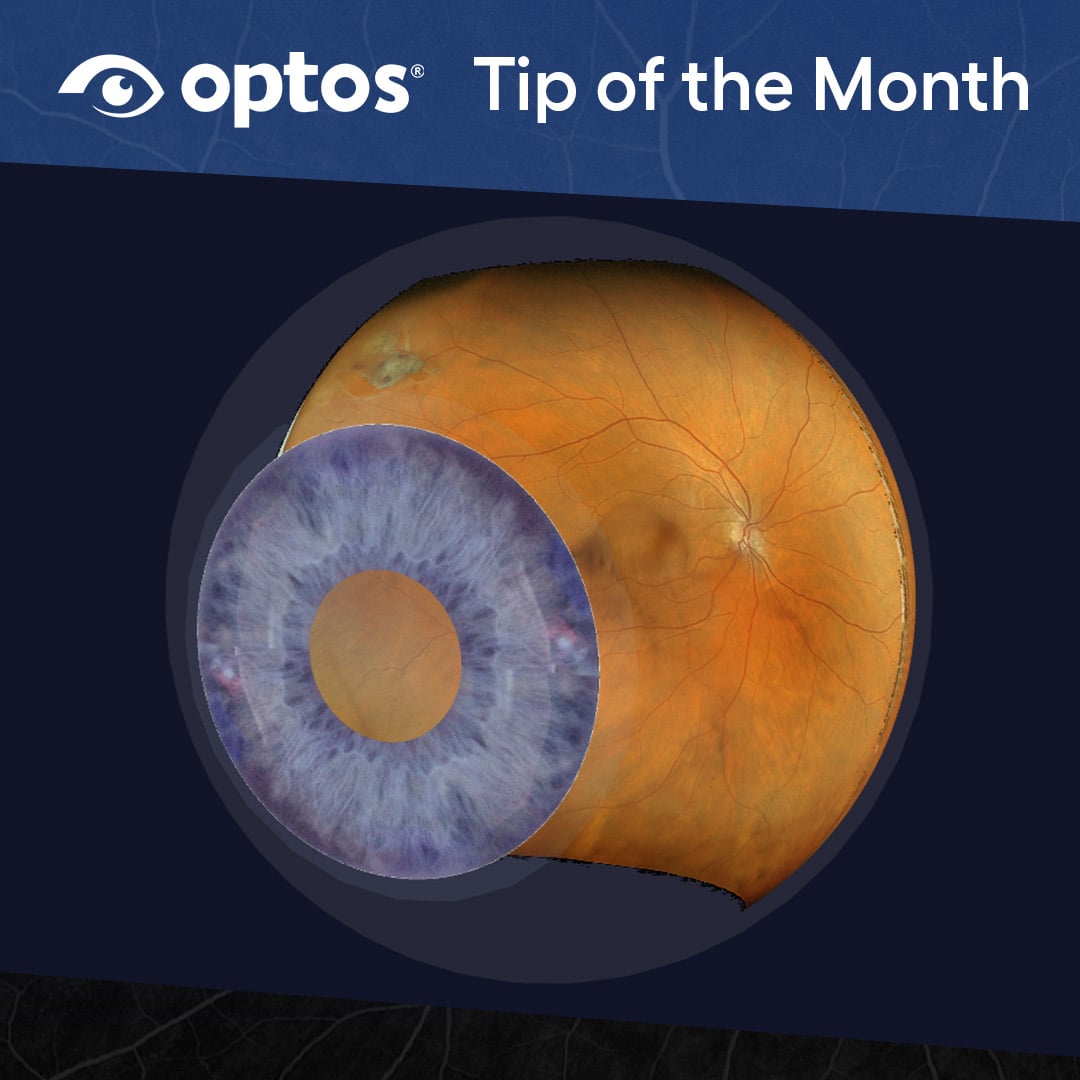
3D Wrap is a viewing feature in OptosAdvance that presents optomap images in an interactive, three‑dimensional format. This feature is especially useful during image review with patients, allowing images to be displayed in a rotating view that supports discussion and visualization.
Within OptosAdvance, 3D Wrap is accessed as one of the available image views and is designed to complement the image review workflow alongside other optomap viewing options.
Accessing 3D Wrap in the Viewing Workflow
3D Wrap can be accessed from the Hanging Protocol menu as the final stage of available views. Once selected, the image opens automatically in Cine play, displaying the optomap image in a rotating, three‑dimensional presentation. Cine play can be stopped at any time by pressing the space bar on the keyboard.
This placement within the Hanging Protocol menu allows users to move naturally through different viewing stages before selecting 3D Wrap when an interactive view is helpful during image review.
Navigating the 3D Image
While viewing an image in 3D Wrap, standard mouse controls are used to interact with the image. The left and right mouse buttons allow users to zoom and rotate the image, making it possible to adjust the view as needed during review.
These controls provide flexibility when reviewing images and support interactive discussion, particularly when reviewing images with patients.
Using View Tools with 3D Wrap
When viewing an image in 3D Wrap, additional options are available through the View Tools menu located on the left‑hand side panel. Selecting View Tools opens a set of tools that allow different views and conditions to be applied to the 3D image.
Available options include Refractive Errors, Cataract, Contact Lens, and Corrective Lenses. These options allow the image to be adjusted during review and provide additional ways to explore the 3D presentation.
How 3D Wrap Fits Into Image Review
3D Wrap is one of several view options available in OptosAdvance and is intended to support interactive image review. The rotating display and adjustable controls provide an alternative way to present optomap images, making it particularly useful for patient education in the exam room.
By accessing 3D Wrap through the standard viewing workflow and using familiar mouse controls, users can incorporate this feature seamlessly into routine image review.
Learn More
For complete step‑by‑step instructions and additional guidance, refer to the OptosAdvance Image Review Instructions.